

Table of Contents
- Why Digital Art Files Are Not Automatically Permanent
- Best File Formats for Digital Art: Open Standards vs Proprietary
- The 3-2-1 Backup Rule: How to Backup Digital Art Files Properly
- Metadata, Provenance, and Your Creative Legacy
- Archival Quality Printing for Digital Art: Making It Physical
- Do You Actually Own Your Digital Art Files? Copyright and Legal Permanence
- A Practical Preservation Plan for Your Digital Art
- Conclusion
Last Updated: August 20, 2026
Why Digital Art Files Are Not Automatically Permanent
Digital art files carry no guarantee they will open, display correctly, or exist in five years. Digital preservation is an active process, not a passive one. Unlike a physical painting, a digital file requires ongoing maintenance: the right formats, hardware, and backup strategy. Without these, digital art files are surprisingly fragile.
Bit Rot and Data Degradation
Bit rot is the gradual decay of data stored on a digital medium, caused by physical deterioration of the storage material itself. Magnetic particles on hard drives weaken, optical discs develop surface degradation, and flash memory cells lose charge, resulting in corrupted data. Bit rot happens silently with no warning message. A checksum, a mathematical fingerprint of a file's contents, can detect this corruption before it becomes catastrophic. Regularly verifying file checksums is essential for serious archivists.
Hardware Failure and Storage Medium Lifespan
Every storage medium has a finite lifespan. External hard drives typically last three to five years, optical discs degrade within decades, and USB flash drives are even less reliable for long-term storage. Hardware failure is not a remote risk but a near certainty over time. No single piece of hardware should be trusted as the sole home for your digital art files.
Best File Formats for Digital Art: Open Standards vs Proprietary
Choosing the right file format is one of the most consequential decisions in long-term digital preservation. The best formats are built on open standards, widely supported across software and operating systems, and not dependent on a single company's existence.
Formats Built to Last
Open, non-proprietary formats give your digital art files the best chance of remaining accessible regardless of which software dominates in twenty years. Formats recommended by archivists and preservation specialists include:
- TIFF (Tagged Image File Format): A lossless format widely supported across platforms. Ideal for high-resolution master files.
- PNG (Portable Network Graphics): An open standard supporting lossless compression. Excellent for digital art with transparency layers.
- PDF/A: The archival variant of PDF, standardised under ISO 19005 archival PDF standard specifically for long-term document preservation. Embeds all fonts and colour profiles within the file itself.
These formats share a critical characteristic: their specifications are publicly documented and not controlled by a single vendor, ensuring open-source software can always read them.
Formats That Put Your Files at Risk
File format obsolescence is a real and documented threat. Formats tied to proprietary software are particularly vulnerable. If the company discontinues the product or changes its file structure, your files may become unreadable.
Formats to be cautious about for long-term archival include:
- PSD (Photoshop Document): Proprietary to Adobe and dependent on continued support.
- AI (Adobe Illustrator): Similarly proprietary; older versions are already difficult to open correctly.
- Proprietary RAW formats: Camera manufacturers each have their own RAW format, many already orphaned.
You can use these formats in your creative workflow, but never rely on them as your only archival copy.
The 3-2-1 Backup Rule: How to Backup Digital Art Files Properly
The most widely accepted framework for data redundancy is the 3-2-1 backup rule: keep 3 copies of your data, on 2 different types of storage media, with 1 copy stored off-site.

Applied to digital art files:
| Copy | Location | Medium | Purpose |
|---|---|---|---|
| Copy 1 | Primary working machine | Internal SSD or HDD | Active access |
| Copy 2 | Local external drive | External HDD or NAS | Fast local recovery |
| Copy 3 | Off-site or cloud | Cloud storage or remote drive | Disaster recovery |
This is the minimum standard. A fire, flood, or theft that destroys your home takes your primary machine and local external drive simultaneously. The off-site copy is what saves your creative archive.
Cloud Storage vs Local Physical Backups
Cloud storage offers off-site redundancy by default, automatic synchronisation, and accessibility from any device. Services with version control allow recovery from earlier file states. The limitation is dependence on a subscription and company solvency. Cloud synchronisation can also propagate corruption across all copies if not caught quickly.
Local physical backups offer speed, privacy, and no ongoing subscription cost. A network-attached storage device at home gives you a fast, private second copy. The limitation is physical vulnerability: fire, flooding, or hardware failure can take a local backup alongside your primary copy.
According to the Library of Congress digital preservation guidance, combining both strategies is the recommended approach. The 3-2-1 rule exists because no single medium is reliable enough alone.
Metadata, Provenance, and Your Creative Legacy
Metadata is data about data, information embedded within or alongside a digital file that describes its contents, origin, and history. For digital art files, metadata is the difference between a file that can be identified and attributed in fifty years and one that becomes an anonymous orphan.
Provenance refers to the documented history of a work: who created it, when, under what conditions, and through what chain of ownership. For digital art, provenance is captured through EXIF data, IPTC copyright fields, and XMP records embedded directly in the file.
At minimum, your digital art files should carry:
- Creator name and contact information
- Creation date
- Copyright statement
- File version or edition number
- A brief description of the work
This information travels with the file regardless of where it ends up, serving as your signature on the work.
Archival Quality Printing for Digital Art: Making It Physical
Archival quality printing for digital art is the most reliable way to create a truly permanent record of your work. A physical print made with the right materials can outlast any current digital storage medium.
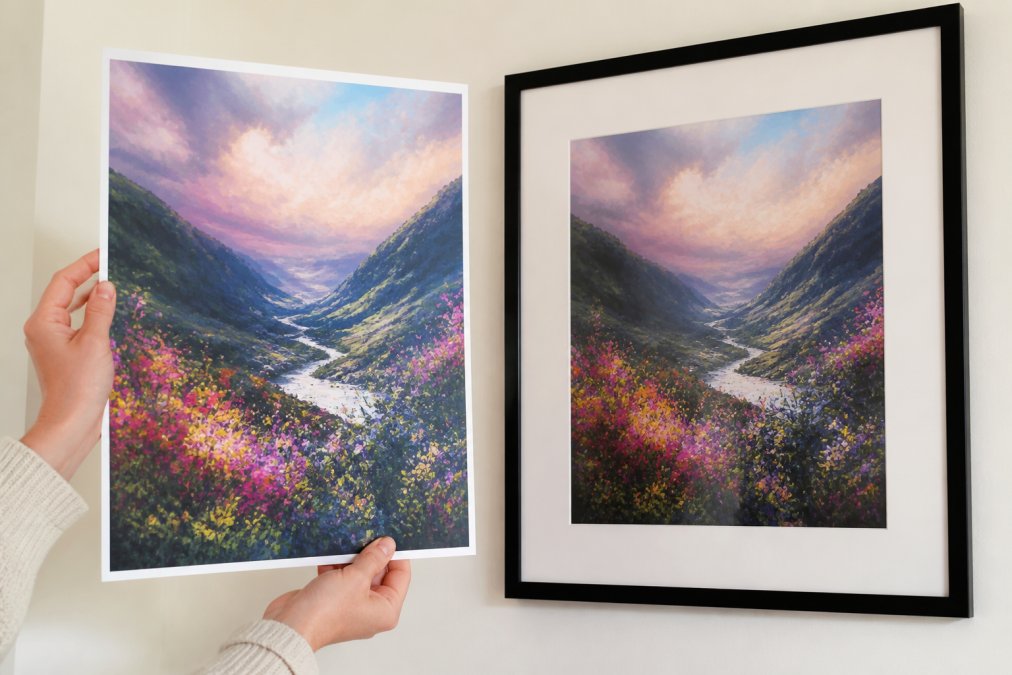
"Archival quality" refers specifically to materials that resist fading, yellowing, and physical degradation. For prints, this means:
- Pigment-based inks rather than dye-based inks, which are significantly more stable under light exposure.
- Acid-free, cotton rag paper rather than standard wood-pulp paper, which yellows and becomes brittle within decades.
- UV-protective glazing if the print is framed and displayed in a lit environment.
According to the Wilhelm Imaging Research archival print longevity data, prints made with pigment inks on acid-free media can retain colour under normal display conditions for well over a century. That permanence exceeds any current digital storage medium.
Thistle and Ink Art delivers instant download files at print-ready resolution, suitable for professional archival printing services. Printing a physical copy of valued digital artwork is a preservation strategy, not just decoration.
Do You Actually Own Your Digital Art Files? Copyright and Legal Permanence
Purchasing a digital art file does not automatically transfer copyright to the buyer. Copyright in the United Kingdom is governed by the Copyright, Designs and Patents Act 1988, which grants the creator automatic copyright from the moment of creation. Unless copyright is explicitly transferred in writing, it remains with the creator even after the file is sold.
What a buyer typically receives is a licence to use the file, often for personal, non-commercial use. The scope varies between sellers and should be clearly stated at purchase.
Once the file is in your possession, your licence to use it for permitted purposes remains valid. If the seller's shop closes, your downloaded file remains yours to use. Download and store your files properly, and the seller's continued operation becomes irrelevant to your access.
A Practical Preservation Plan for Your Digital Art
Here is a concrete plan you can implement today.
Step 1: Audit your current files. Locate all digital art files you want to preserve and note their formats and storage locations.
Step 2: Convert master files to archival formats. Save a copy of each file as TIFF or PNG if not already in one of those formats.
Step 3: Embed metadata. Add creator information, date, and copyright statements to each file using your image editing software's metadata fields.
Step 4: Apply the 3-2-1 rule. Set up three copies across two media types, with one off-site. A local external drive plus cloud storage covers the basics.
Step 5: Schedule regular verification. Set a calendar reminder every six to twelve months to open files, check for corruption, and verify backup copies are current.
Step 6: Print your most valued work. Commission or print an archival-quality physical copy of any digital art file that matters most to you.
| Step | Action | Frequency |
|---|---|---|
| 1. Audit | Locate and catalogue all files | Once, then annually |
| 2. Format | Convert to TIFF or PNG master | Once per new file |
| 3. Metadata | Embed creator and copyright data | Once per new file |
| 4. 3-2-1 Backup | Set up three copies, two media, one off-site | Ongoing |
| 5. Verification | Check file integrity and backup currency | Every 6-12 months |
| 6. Print | Archival print of valued works | As needed |
The hardest part of digital preservation is starting. Once the system is in place, maintaining it takes less than an hour a year. The cost of not having a system is losing work you cannot recreate.
Digital art files are only as permanent as the effort you put into preserving them. The tools and strategies to do this properly are accessible to anyone, not just institutional archivists. Thistle and Ink Art provides instant, high-resolution digital downloads designed for print-ready quality, suitable for both archival digital storage and physical printing. Start your preservation plan on the day you download, not the day something goes wrong.
Frequently Asked Questions
Does digital art lose quality over time?
The file itself does not degrade the way a physical painting fades, but digital art files are vulnerable to bit rot, which is the gradual corruption of data on a storage medium. If a file is stored on a single drive and never checked, silent errors can accumulate over years until the file becomes unreadable. Storing copies in multiple locations and using lossless formats like TIFF or PNG significantly reduces this risk.
What are the best file formats for long-term digital art storage?
PNG and TIFF are the strongest choices for long-term storage because they use lossless compression and are built on open standards, meaning no proprietary software is needed to open them decades from now. PDF/A is also well suited for archival use. Avoid formats tied to specific software applications, as those programmes may no longer exist or be supported in the future, making your files inaccessible.
Are digital downloads a reliable way to own art?
Yes, provided you save and back up the file yourself after downloading. Unlike a physical print, a digital download gives you a master file you can reprint at any size whenever you need it. The key is not to rely solely on the original download link remaining active. Save your digital art files to at least two separate locations, such as an external hard drive and a cloud storage service, to ensure long-term access.
How do I ensure my digital art files don't become corrupted?
Follow the 3-2-1 backup strategy: keep three copies of each file, on two different types of storage media, with one copy stored off-site or in the cloud. Use checksums to verify file integrity periodically, so you catch corruption before it spreads. Store files in open, lossless formats and migrate them to new storage media every five to seven years, as older drives and optical discs degrade over time.
This article was written using GrandRanker